

Latest Version
hihebark
Education
Linux
Free
io.github.hihebark.QuranReader
Report a Problem
More About Quran Reader
A Dedicated, Native GNOME Experience for Quranic Study
Finding a high-quality, native desktop application for spiritual study on Linux can often be a challenge. Enter Quran Reader, a dedicated digital Quran reading application designed specifically for the GNOME desktop environment. Unlike resource-heavy web wrappers, this lightweight software provides an elegant, distraction-free interface for reading and studying the Holy Quran directly on your Linux distribution.
Two Distinct Reading Modes to Suit Your Study Style
One of the standout features of the Quran Reader desktop application is its dual-mode layout, which caters to different reading preferences:
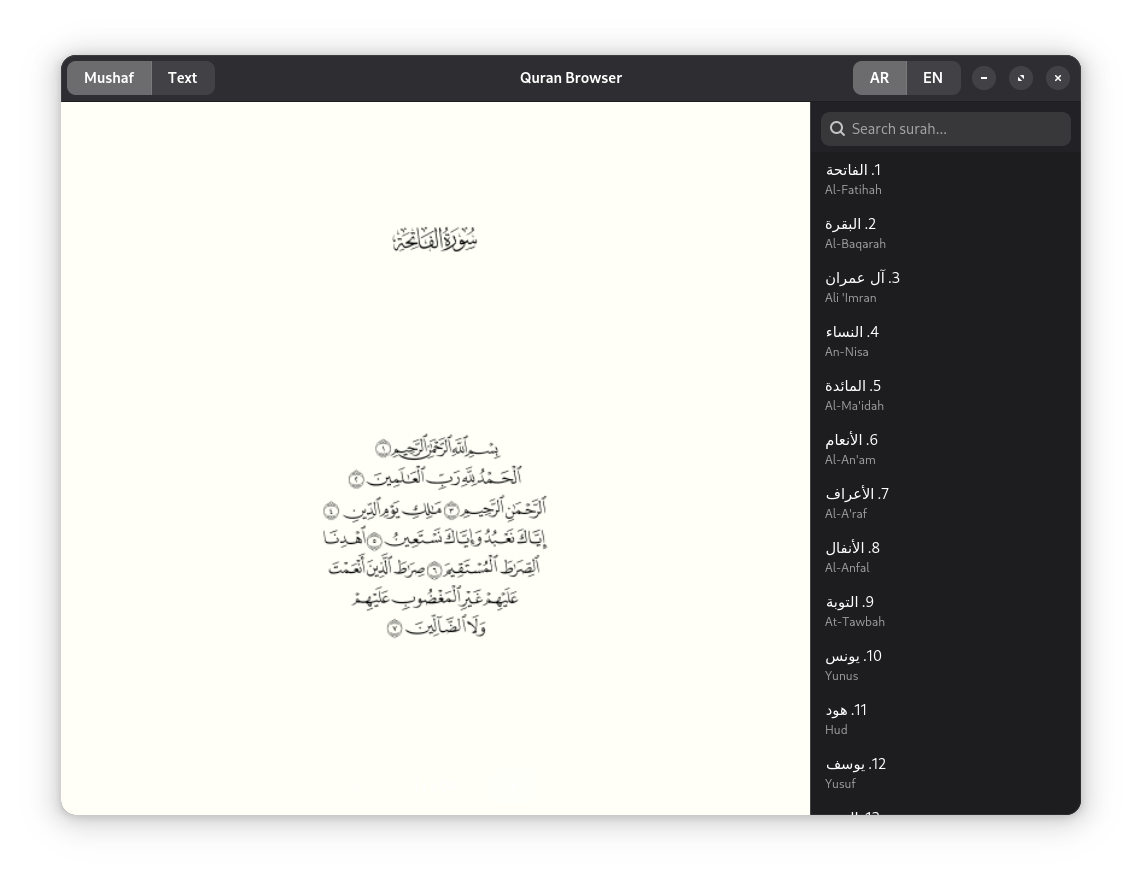
- Authentic Mushaf Mode: For those who prefer the traditional layout, this mode offers a faithful, page-by-page rendering of the Mushaf Qatar (spanning 604 pages) using high-quality, ligature-based SVG pages.
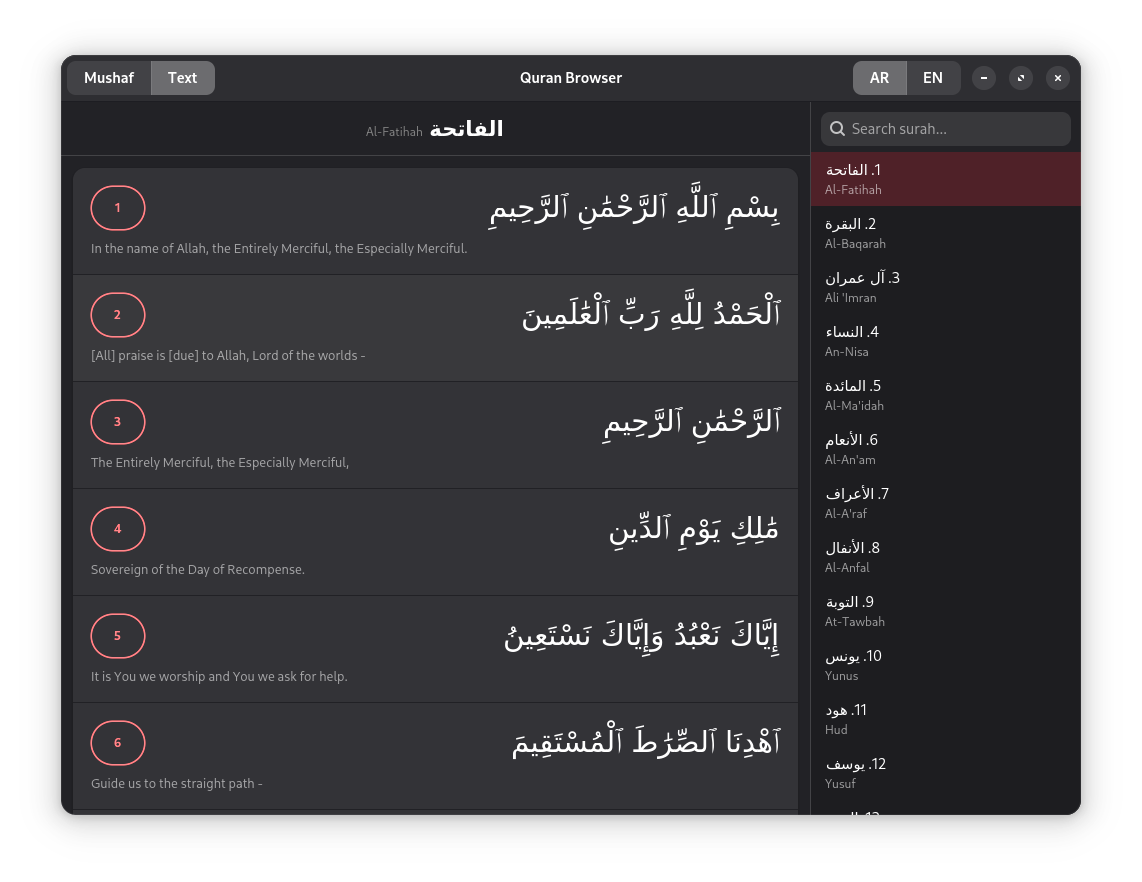
- Interactive Text Mode: If you are studying the text closely, the side-by-side view displays the original Arabic script next to the English translation (Sahih International) on an ayah-by-ayah basis.
Designed for Seamless Linux Integration
Developer hihebark has crafted this software to feel right at home on modern Linux desktops. It incorporates several thoughtful design choices that enhance usability:
- Bilingual Sidebar & Live Search: Easily navigate through the surah list in either Arabic or English, with an instant search feature to find chapters quickly.
- RTL-Aware Layout: To respect the natural flow of Arabic, the entire sidebar dynamically shifts to the right side of the screen when Arabic mode is active.
- Fluid Keyboard Navigation: Flip through Mushaf pages effortlessly using your keyboard's arrow keys or Page Up/Down buttons.
- Quick Copy Functionality: Right-click on any verse to instantly copy the Arabic text, English translation, or the specific verse reference to your clipboard.
Who Is This App For?
This software is ideal for Linux users seeking a highly focused, offline-friendly environment for daily recitation or academic study. Because it is built natively for the platform, it runs efficiently without the overhead of web browsers, making it a reliable utility for your daily workflow.
How to Get Started
If you want a refined, respectful, and native environment to read the Holy Quran on your Linux machine, this tool is an excellent choice. To explore this application further or to install it on your system, head over to the official Flathub store page to get started.
Rate the App
User Reviews








Popular Apps









Editor's Choice